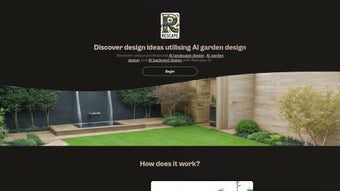

Download RescapeAI – AI Garden Design Tool, Free & Secure
Overview
RescapeAI is an innovative web‑based application that brings the power of artificial intelligence to garden design. Whether you are a professional landscaper looking for rapid concept sketches or a DIY enthusiast eager to visualize a new patio, RescapeAI lets you upload a photo of your existing garden, choose a style—modern, cottage, Japanese, Mediterranean, and more—and instantly receive a polished, high‑resolution landscape plan. The tool excels at turning a single image into multiple design alternatives, helping users experiment without the need for expensive software or lengthy manual drafting.
A clean, browser‑first interface means you can work from any device without installing bulky programs. While a free tier offers a taste of the AI’s capabilities, premium subscriptions unlock higher‑resolution exports, unlimited style options, and priority processing. RescapeAI’s blend of speed, creativity, and accessibility makes it a standout resource for anyone wanting to transform outdoor spaces efficiently and securely.
The platform also incorporates a privacy‑first approach: every uploaded image is encrypted during transit, processed on secure cloud servers, and automatically removed after 24 hours, ensuring that users retain full control over their visual data. In addition, the service receives regular updates that improve the underlying neural network, expand the style library, and fine‑tune the rendering engine, so designers can rely on a tool that stays current with industry trends. By combining AI‑driven creativity with a user‑friendly workflow, RescapeAI helps reduce the time between concept and execution, allowing more projects to move forward in a shorter period.
Key Features & Benefits
- AI‑Generated Designs in Seconds: Upload a garden photo and receive a complete layout within 30‑60 seconds, dramatically cutting the time needed for initial concept work.
- Extensive Style Library: Choose from over 15 pre‑defined garden styles or input custom keywords for truly unique aesthetics, ranging from minimalist desert palettes to lush tropical retreats.
- High‑Resolution Export Options: Premium users can download 300 dpi PDFs, layered SVG files, or even native CAD formats, enabling seamless hand‑off to contractors or further refinement in professional software.
- Browser‑Only Access: No downloads required; works on Windows, macOS, Linux, Android, and iOS via any modern browser, providing true cross‑platform flexibility.
- Generous Free Tier: Allows up to three designs per month and low‑resolution PDF downloads, giving hobbyists a risk‑free way to explore the technology.
- Secure Cloud Processing: All images are encrypted with TLS 1.3, processed in isolated containers, and automatically deleted after 24 hours, safeguarding user privacy.
- Intuitive Drag‑and‑Drop Editor: Fine‑tune AI suggestions by moving plants, pathways, water features, or lighting elements, ensuring the final plan matches the exact vision.
- Cost‑Effective Pricing: Tiered plans start at $9.99 / month, offering a professional‑grade solution that is affordable for small firms and individual designers alike.
- Regular Model Updates: The AI engine receives quarterly improvements, expanding plant databases, enhancing texture realism, and adding new design heuristics.
- Community Inspiration Hub: Users can browse publicly shared designs for ideas, save favorite layouts, and even request feedback from the RescapeAI support team.
Installation, Usage & Compatibility
Because RescapeAI is a fully hosted web application, there is no traditional installation process. To get started, simply visit Rescapeai.com, create a free account, and follow the on‑screen wizard. The platform is optimized for the latest versions of Chrome, Edge, Firefox, and Safari, ensuring a smooth experience on desktop operating systems such as Windows 10/11, macOS Ventura, and popular Linux distributions. Mobile users on Android 12+ or iOS 15+ can also access the full feature set, though the drag‑and‑drop editor works best with a mouse or trackpad.
Once logged in, the workflow is straightforward:
- Upload a Photo: Click the “Upload Garden” button, select a high‑resolution JPEG or PNG, and let the AI scan the image. The system automatically detects existing hardscape, plant zones, and lighting conditions.
- Select a Style: Choose a predefined style or type custom keywords (e.g., “dry Mediterranean garden”). You can also combine multiple keywords to create hybrid aesthetics.
- Generate Design: Press “Create Design.” The AI processes the data, applies the chosen style, and presents a full layout with plant placements, hardscape elements, and lighting suggestions.
- Refine & Export: Use the on‑screen editor to move elements, adjust plant heights, or modify pathway widths. When satisfied, download the final plan in PDF, SVG, or CAD format.
- Iterate Quickly: Because the service runs in the cloud, you can generate alternative concepts in minutes, compare them side‑by‑side, and select the one that best fits budget and site constraints.
RescapeAI is compatible with any internet‑connected device that supports modern HTML5 browsers, making it an ideal cross‑platform solution for professionals who switch between office workstations and on‑site tablets. The responsive UI automatically adjusts layout density for small screens, while the desktop version provides additional toolbars for precision editing.
Pros, Cons & Frequently Asked Questions
Pros
- Lightning‑fast AI generation saves hours of manual drafting.
- Free tier provides genuine value without forcing immediate payment.
- Browser‑only access eliminates compatibility headaches.
- Secure handling of user images respects privacy.
- Rich style library supports diverse aesthetic preferences.
- High‑resolution export options meet professional printing standards.
- Regular AI updates keep the tool current with design trends.
- Community hub offers inspiration and peer feedback.
Cons
- Requires user‑specified style; no fully automatic theme detection.
- Lacks real‑time collaboration tools for team projects.
- Free version limits the number of high‑resolution exports.
- Complex terrain (steep slopes) may need manual adjustment after AI generation.
- Performance can vary on slower internet connections.
- Mobile drag‑and‑drop editing is less precise than desktop.
FAQ
Is RescapeAI really free to use?
Yes. The free tier lets you create up to three designs per month and download low‑resolution PDFs. Premium plans unlock unlimited designs, high‑resolution exports, and priority processing.
Can I use RescapeAI on a mobile phone?
Absolutely. The platform works on Android and iOS browsers. While the full drag‑and‑drop editor is optimized for mouse input, touch gestures are supported for basic adjustments.
How secure is my uploaded garden photo?
RescapeAI encrypts all uploads with TLS 1.3 during transmission and automatically deletes images from the server after 24 hours. No personal data is shared with third parties.
Do I need any design experience to get useful results?
No. The AI handles layout, plant selection, and hardscape suggestions based on the style you choose. Beginners can accept the first output, while professionals may fine‑tune details using the editor.
What payment methods are accepted for premium plans?
RescapeAI accepts major credit cards (Visa, MasterCard, American Express) and PayPal. Subscriptions are billed monthly or annually with a discount for the yearly option.
Can I export designs to other landscape‑design software?
Premium users can download SVG or DXF files, which can be imported into most CAD and BIM tools, allowing seamless integration with existing workflows.
Conclusion & Call to Action
RescapeAI bridges the gap between artistic inspiration and practical garden planning. By delivering AI‑generated designs in seconds, it empowers both seasoned landscapers and hobby gardeners to explore a multitude of styles without the steep learning curve of traditional CAD software. The free tier provides a risk‑free entry point, while affordable premium plans scale with the needs of professionals.
Although collaborative features are currently missing and the AI relies on user‑selected styles, these minor drawbacks are outweighed by the speed, security, and cross‑platform flexibility the tool offers. If you’re ready to visualize a new patio, revamp a flower bed, or simply experiment with fresh landscaping ideas, give RescapeAI a try today. Click the button below to create your first design for free and discover how AI can reshape your outdoor living spaces.



.png)



